
Employee communication software has become a core part of modern businesses in 2026. As companies shift toward remote and hybrid work environments, having the right communication tools is essential for productivity, collaboration, and employee engagement.
According to workplace communication statistics by Zipdo, 86 percent of employees say poor communication is the main reason for workplace failures, highlighting the urgent need for effective communication systems.
Modern workplaces are also being reshaped by AI-driven tools and automation, which are transforming how teams communicate and collaborate (learn more about AI’s impact on jobs and businesses).
However, with dozens of platforms available, choosing the best employee communication software can feel overwhelming.
In this guide, you will learn what to look for, key features, benefits, and how to make the right decision for your organization.
1. Know Your Business Communications Needs
Before selecting any software, start by analyzing how your team currently communicates. Understanding your workflow ensures you choose a platform that solves real problems instead of adding unnecessary complexity.
Ask yourself:
- Do you rely heavily on emails or instant messaging?
- Are remote teams struggling with collaboration?
- Are there frequent delays in internal communication?
In fact, identifying these gaps helps you select tools that streamline communication, boost productivity, and improve overall team efficiency.
According to digital workplace statistics by Gitnux, employees spend nearly 58% of their time on communication-related tasks, highlighting the importance of having efficient communication tools.
2. Additional Customization Options
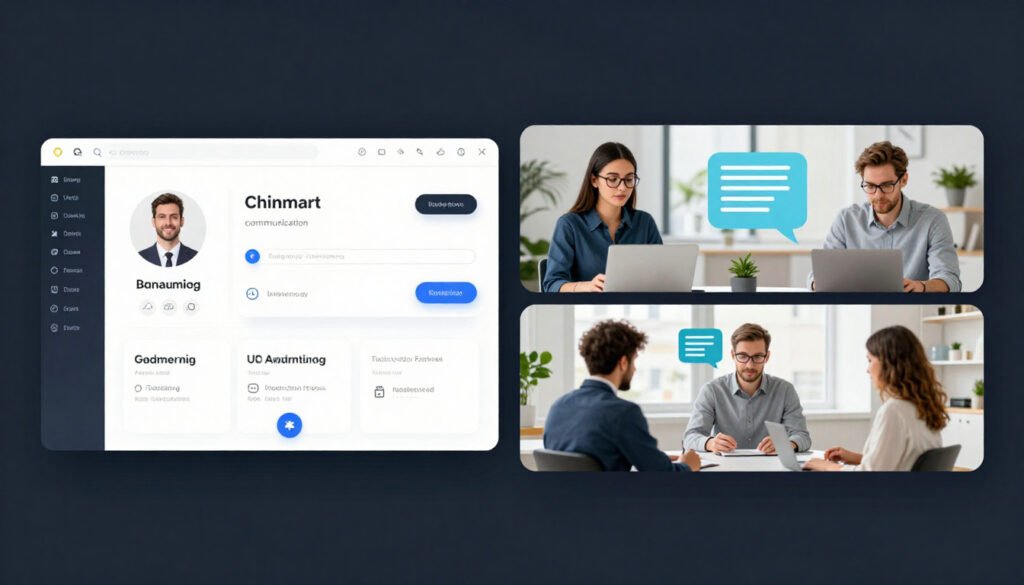
Not all communication tools are equal. The best employee communication software should include:
- Real-time messaging and chat
- File sharing and document collaboration
- Video conferencing capabilities
- Mobile accessibility
- Notifications and alerts
- Integration with other tools
Therefore, advanced tools also provide analytics dashboards to track employee engagement and communication efficiency.
3. Balance between Price and Value
Every organization has different needs. A good platform should allow:
- Custom channels or departments
- Role-based access
- Personalized notifications
Customization ensures the software adapts to your workflow instead of forcing you to change your processes.
4. Scalable to Handle Changing Demands
PDon’t Let Price Be Your Only Deciding Factor
While cost is important, the cheapest option isn’t always the most effective. Instead, evaluate solutions based on:
- Long-term ROI – Will the tool save money and resources over time?
- Productivity improvement – Does it streamline workflows and reduce bottlenecks?
- Time saved in communication – Can it cut down unnecessary emails or meetings?
However, free tools may seem attractive, but paid solutions often provide better security, scalability, and customer support, making them a smarter investment for growing teams.
Automation and robotics are transforming industries (learn more about humanoid robots filling labor gaps in factories and warehouses), increasing the need for robust communication systems that can support distributed teams and evolving workflows.
5. Read Reviews before Purchase
As your company grows, your communication needs will expand.
Choose software that can:
- Support more users
- Handle large data
- Work across multiple teams and locations
However, this avoids switching platforms later, which can be costly and disruptive.
6. Read Reviews and Real User Feedback
Before making a final decision, check trusted platforms like:
- G2
- Capterra
Look for:
- Consistent complaints
- Performance issues
- Customer support quality
Avoid tools with repeated negative feedback.
7. Popular Employee Communication Tools
Some widely used tools include:
- Slack – best for team messaging
- Microsoft Teams – ideal for enterprise collaboration
- Zoom – strong for video communication
Each tool serves different business needs, so choose based on your workflow.
8. Benefits of Employee Communication Software
Using the right employee communication software can transform how your team works. Key benefits include:
- Improved employee engagement – Employees feel more connected and informed.
- Reduced communication gaps – Messages are delivered clearly and promptly.
- Increased productivity – Less time wasted on miscommunication or follow-ups.
- Strengthened company culture – Fosters collaboration, transparency, and trust.
- Support for remote and hybrid work environments – Ensures seamless communication across locations.
According to workplace communication statistics by Zipdo, companies with strong communication practices are 2.5 times more likely to achieve their business goals, proving that effective communication directly impacts organizational success.
Conclusion
Employee communication software is no longer optional, it has become essential for business success in 2026. By understanding your team’s needs, comparing features, and focusing on long-term value, you can select a platform that enhances collaboration, streamlines workflows, and drives productivity.
Therefore, many companies are restructuring their workforce (learn more about Meta’s workforce changes and layoffs) and investing in digital tools to improve efficiency and internal communication, making modern communication software more critical than ever.
FAQs
What is employee communication software?
Employee communication software is a digital tool that helps organizations manage internal communication through messaging, video calls, and collaboration features.
Why is employee communication software important in 2026?
It improves productivity, reduces communication gaps, and supports remote and hybrid work environments, which are becoming standard in modern businesses.
Which employee communication software is best?
Popular tools include Slack, Microsoft Teams, and Zoom, depending on business size and communication needs.
How does communication software improve productivity?
It reduces delays, improves collaboration, and ensures faster decision-making within teams.
Is employee communication software necessary for small businesses?
Yes, even small businesses benefit from improved communication, better organization, and increased efficiency.